Copy Trade is an innovative cryptocurrency investment strategy that enables investors to automatically replicate the trades of experienced traders. For beginners lacking professional knowledge orCopy Trade is an innovative cryptocurrency investment strategy that enables investors to automatically replicate the trades of experienced traders. For beginners lacking professional knowledge or
Learn/Trading Guide/Copy Trade/Copy Tradin...ead Traders

Copy Trading Guide For Lead Traders

May 29, 2026MEXC
0m
Polytrade
TRADE$0.04177-1.62%
4
4$0.009128-1.14%
MODE
MODE$----%

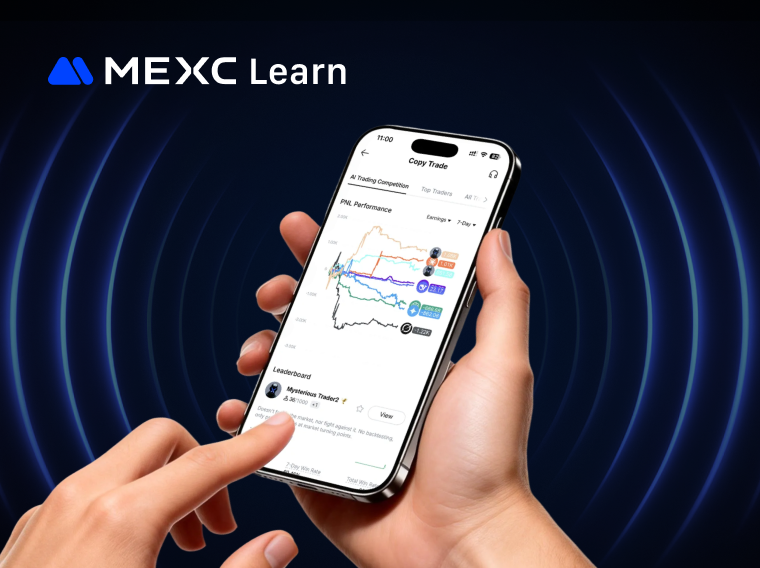
Copy Trade is an innovative cryptocurrency investment strategy that enables investors to automatically replicate the trades of experienced traders. For beginners lacking professional knowledge or trading experience, copy trading offers a user-friendly and accessible investment approach. For seasoned traders, you can apply to become a lead trader and earn additional profit-sharing rewards alongside your trading profits.

1. How to Become a Trader


Log in to the MEXC official website, navigate to  AI Copy Trade under the Futures menu to access the copy trade page.


On the Copy Trade page, click Become a Trader.


Follow the on-screen prompts to verify that the Email matches the email address linked to your account. If no email is currently linked to your account, you'll need to provide one as your primary contact method to receive important notifications, including review results. Email is mandatory, while Telegram account and phone number are optional fields that you may complete based on your preferences.


After reviewing and accepting the Trader Agreement, click Submit and await the review outcome. Following your submission, MEXC will notify you of the review decision via email, internal message, or SMS within 1-2 business days. Once approved, you can begin lead trading.


Note: You must not be copying any Trader at the time of your application. If you are currently following a Trader, please unfollow them before submitting. Please note that once you become a Trader, you will no longer be able to copy other Traders.


2. How to Lead Trade


After becoming a trader, click the > button on your personal panel within the copy trading page to access the My Lead Trades page.


On the My Lead Trades page, you can monitor Lead Trading Stats, Profit Share Stats, My Followers, and Watchlist, as well as configure your Nickname, Bio, Avatar, Trading Pairs, and other profile details..


2.1 Set Lead Trade Mode


MEXC Copy Trade offers two lead trading modes: Public and Private.
  • Public: Accessible to all users; any follower can copy your portfolio.
  • Private: Visible only to invited users, not publicly listed, and modifiable once daily.

In Public mode, the profit-share ratio can be set up to 15%; in Private mode, it can be set up to 50%.


After enabling private lead trade, you can select:
1) Open to all users for copy trading: Users need only the invitation link or code to follow.
2) Restrict access to users registered with your referral code only.

Important Notes on Private Copy Trade:
1) You won't appear in the copy trade marketplace, watch list, or top traders leaderboard, though users can still locate you via the search function.
2) Only invited users can follow your trades. Users who discover you through search must also enter the corresponding invitation code to copy your trades.
3) If you currently have followers, you must terminate all following relationships before switching to private lead trading mode.
4) 4) Once you switch between public and private modes, no further changes can be made that same day.

After configuring private lead trade mode, click the Invite Now button on the My Followers page.


On the invitation page, click Create Invitation Link, enter your Invitation Message, specify the Number of Invitees, define the Invitation Access, and click Confirm to generate your unique invitation link. Invited users can follow your trades through this link.


2.2 Set Up Lead Trade Information


On the My Lead Trades page, click Setup. You can adjust settings for Lead Trade Function, Allow Following, Only my referrals can follow, Only Followers Can View Position History, and other features, as well as customize your Avatar, Trading Pairs, User Nickname, and Bio. Once you've completed your settings, click Submit to apply the changes.

Feature descriptions:
  • Lead Trading: When enabled, your followers can automatically copy your trades in real time.
  • Allow Following: When disabled, new users cannot follow you; when enabled, they can.
  • Only my referrals can follow: When disabled, all users can follow you; when enabled, only referrals can follow you.
  • Only Followers Can View Position History: When enabled, only your copy traders can view current and historical position records.

Please note that the currently supported copy trade mode is restricted to USDT-M futures in hedge mode. Maximum leverage multiples vary by trading pair. Please refer to the actual page display for details.


2.3 Initiating Lead Trade


After completing your lead trade information setup, click the Initiate Trade button. The system will display a Valid Lead Trade Conditions prompt window where you can verify your current lead trade pairs and remaining lead trade capacity. Please ensure your total futures equity is at least 100.00 USDT. After confirming all details are correct, click Confirm to proceed to the futures trading page.


If you select the Never show again option, the prompt window will not appear on subsequent clicks of the Initiate Trade button, and you'll be taken directly to the futures trading page. Please note that under valid lead trading requirements, the maximum leverage supported for lead trading varies by trading pair. A lead trade will only be considered valid if it meets the corresponding leverage limit.


Based on your configured lead trade pairs (e.g., BTCUSDT), execute your opening operations on the futures trading page. After opening your position, return to the My Lead Trades page. Under Current in Lead Trade Stats, you can review the details of your recently opened order.


Click the Close button to close both your position and your followers' positions at market price, completing this lead trade. If you execute a partial close position operation, your followers' copy trade positions will also be partially closed proportionally based on your close position ratio.


2.4 Reviewing Lead Trade History


On the My Lead Trades page, select the History option under Lead Trade Stats to access your historical lead trade records.


3. How to Manage Your Followers


On the My Lead Trades page, click My Followers to view information including current FollowersTime FollowedTotal Equity of Account, and more. Click the Exclude button under Action to temporarily prevent that follower from copy trading. Note that you can remove a follower only if they have no active copy trade positions and their copy trade account total equity is below 5 USDT.


When your follower count reaches 900, you may apply to increase your follower limit.


If you prefer not to accept new followers, you can disable the Allow Following toggle in Setup.

4. How to Monitor Profit Share


On the My Lead Trades page, click the Profit Share Stats button to view detailed profit-sharing information.


Profit Share Rules: Profit sharing derived from your followers' closed copy trade positions over the past 24 hours is settled daily at 00:00 (UTC+08:00). The settlement period runs from 00:00 (UTC+08:00) of the previous day to 00:00 (UTC+08:00) of the current day. Profit share is generated only when your followers' total profit or loss for the settlement period exceeds 0.


Profit Share Ratio: The default ratio is 10%. You may apply to adjust this ratio, with a maximum of one modification permitted per day.


5. How to Deactivate Your Trader Account


On the My Lead Trades page, click Setup, scroll to the bottom, and click the > button next to Revoke Trader Status. In the confirmation pop-up, click Confirm to deactivate immediately.

Please note that deactivating your trader account requires meeting the following conditions:
1) The Lead Trade Function must be disabled in My Lead Trades  Setup.
2) You must have no active lead trade positions.
3) There must be no pending profit share distributions.


The operation process on the App is essentially identical to the Web version. You can access the copy trading page by tapping the shortcut button More → Futures → Copy Trade on the MEXC App homepage, then begin trade after successfully applying to become a trader.

Disclaimer: This material does not constitute advice on investment, taxation, legal, financial, accounting, consulting, or any other related services, nor does it represent a recommendation to purchase, sell, or hold any assets. MEXC Learn provides information for reference purposes only and does not constitute investment advice. Please ensure you fully understand the risks involved and invest cautiously. The platform bears no responsibility for users' investment decisions.
Market Opportunity
Polytrade Logo
Polytrade Price(TRADE)
$0.04177
$0.04177$0.04177
-0.09%
USD
Polytrade (TRADE) Live Price Chart

Popular Articles

View More
How to Use Technical Indicators in Stock Trading: When MACD, RSI, and Moving Averages Help (or Trap You)

How to Use Technical Indicators in Stock Trading: When MACD, RSI, and Moving Averages Help (or Trap You)

For many beginner traders, discovering technical indicators feels like finding a cheat code to the stock market. You load up a chart, overlay the MACD, add an RSI, plot three moving averages, and

Stock Trading Risk Management: Position Sizing, Stop-Loss Rules, Take-Profit Plans, and Trading Journals

Stock Trading Risk Management: Position Sizing, Stop-Loss Rules, Take-Profit Plans, and Trading Journals

Anyone can press a button and buy a stock. However, what determines how long you survive in the market is not the accuracy of your analysis when you buy, but how you control your losses when you are

US Stock Trading Review Method: How to Use a Trading Journal to Discover Your Losing Patterns

US Stock Trading Review Method: How to Use a Trading Journal to Discover Your Losing Patterns

Most traders lose money in the same ways repeatedly without realizing it. The entries change, the stocks change, the market conditions change, but the underlying behavioral patterns stay exactly the

Advanced US Stock Position Management: How to Set Single-Trade Risk, Total Position, and Margin for Error

Advanced US Stock Position Management: How to Set Single-Trade Risk, Total Position, and Margin for Error

Most traders spend the majority of their time deciding what to buy. Position management is the discipline of deciding how much, under what conditions, and with how much room to be wrong. A trader

Hot Crypto Updates

View More
Is BEEG Dead in 2026? On-Chain Data Tells a Very Different Story

Is BEEG Dead in 2026? On-Chain Data Tells a Very Different Story

Is BEEG dead in 2026? This deep-dive into Beeg Blue Whale (BEEG) on-chain data, holder structure, and Sui ecosystem tailwinds reveals the real story behind the 98% crash — and why MEXC is the best

What Is Jable.tv? The Truth Behind the Name — and Why It Matters in 2026

What Is Jable.tv? The Truth Behind the Name — and Why It Matters in 2026

What is Jable.tv? The adult JAV streaming site with 51M monthly visits has nothing to do with the JAB crypto token — but in 2026, that name collision is fueling a dangerous wave of phishing attacks.

OpenAI vs Anthropic IPO Race: Who Rings the Bell First at Nearly $1 Trillion?

OpenAI vs Anthropic IPO Race: Who Rings the Bell First at Nearly $1 Trillion?

OpenAI filed its confidential S-1 on May 22 and Anthropic followed on June 1, 2026. With combined valuations approaching $2 trillion, this is the biggest AI IPO wave in history. Here is everything

Is BEEG Still Worth Buying in Q3 2026? A Deep-Dive into Sui's Most-Talked Meme Coin

Is BEEG Still Worth Buying in Q3 2026? A Deep-Dive into Sui's Most-Talked Meme Coin

Is Beeg Blue Whale (BEEG) worth buying in Q3 2026? This in-depth analysis covers BEEG tokenomics, Sui ecosystem growth, 2026 price predictions, and why MEXC is the top platform to trade BEEG when it

Trending News

View More
US Goods Trade Deficit Widens Sharply to $105.8B in May, Missing Forecasts

US Goods Trade Deficit Widens Sharply to $105.8B in May, Missing Forecasts

BitcoinWorld US Goods Trade Deficit Widens Sharply to $105.8B in May, Missing Forecasts The United States goods trade balance posted a deficit of $105.8 billion

OpenAI’s IPO Delay Could Be the Biggest Warning Yet for AI Investors

OpenAI’s IPO Delay Could Be the Biggest Warning Yet for AI Investors

The AI trade has gone from unstoppable to unpredictable in a matter of weeks. After driving one of the strongest rallies in market history, artificial intelligence

Malaysia Blockchain Week 2026 VIP Ticket at 30% Off: Promo Code Inside

Malaysia Blockchain Week 2026 VIP Ticket at 30% Off: Promo Code Inside

Malaysia Blockchain Week 2026: 30% Discount on VIP Entries, Book NowMalaysia Blockchain Week 2026 is coming to World Trade Centre Kuala Lumpur on July 29 and 30

Bitcoin Cash Joins the AAVE Bounce: Are Forgotten Utility Tokens Becoming the New Relief Trade?

Bitcoin Cash Joins the AAVE Bounce: Are Forgotten Utility Tokens Becoming the New Relief Trade?

Bitcoin Cash up 43.6% in 30 days as Aave pops and DeFi TVL slides to ~$79.5B. Traders rotate into mid-cap utility names during relief bounces and deal chatter.

Related Articles

View More
What Is MEXC AI Model Copy Trade?

What Is MEXC AI Model Copy Trade?

1. What Is AI Model Copy Trade?AI Model Copy Trade is an intelligent Copy Trade feature launched by MEXC that enables you to effortlessly follow AI models for automated trading.The MEXC platform showc
What Is Copy Trade? Advantages and Risks You Should Understand

What Is Copy Trade? Advantages and Risks You Should Understand

In the cryptocurrency market, futures trading is renowned for its high potential returns, yet its complexity and inherent risks often discourage newcomers. To help lower this barrier, MEXC introduced
What is Copy Trading?

What is Copy Trading?

Copy trading is an investment strategy in cryptocurrency trading that allows investors to automatically replicate the trading actions of other experienced traders. It is a very user-friendly investmen

MEXC Copy Trade Tutorial (Website)

MEXC Copy Trade Tutorial (Website)

Copy trading is the process of replicating the trades executed by other traders, including all their operations. In this article, we will demonstrate the copy trading process using the website.1. How

Sign Up on MEXC
Sign Up & Receive Up to 10,000 USDT Bonus
Kickoff Fest! Win Up to $500K!
Kickoff Fest! Win Up to $500K!Kickoff Fest! Win Up to $500K!
4 rewards! 1st trade bonus & 0-fee limit orders!